Diffy
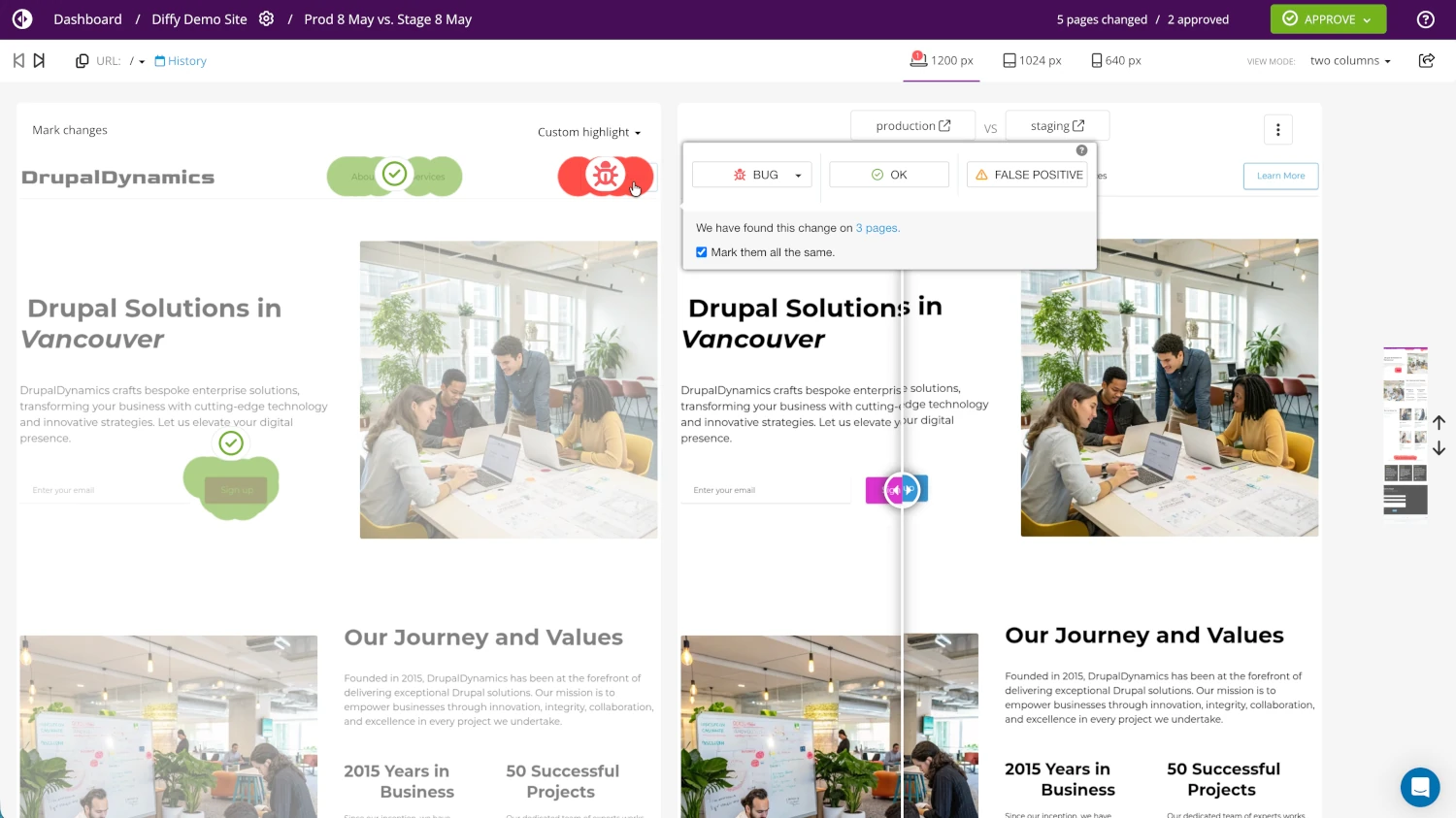
Diffy is a hosted visual regression testing service. It captures full-page screenshots of a website across configured breakpoints, compares them against a baseline (a previous screenshot set or a different environment), and surfaces the per-page differences in a web UI.
Capabilities
- Cross-environment comparison - compare any two URLs (e.g. production vs. a preview environment) or a URL against a saved baseline.
- Breakpoint coverage - each comparison runs across configured desktop, tablet, and mobile widths.
- Per-page diff scoring - reports the percentage of pixels changed per page and per breakpoint.
- DOM manipulation - mask, hide, or replace elements before screenshots (useful for hiding ads, popups, dynamic timestamps).
- CI-friendly CLI - the
diffy-cliPHAR can be driven from any CI runner or shell script. - REST API - all CLI operations are available as direct HTTP calls.
Account and project setup
- Create an account at app.diffy.website.
- Create a project for the site under test.
- Configure the
production(and optionallystaging,development) environment URLs inside the Diffy project settings. - Generate an API key from app.diffy.website/#/keys.
The numeric project ID is visible in the Diffy project URL and is needed by any automation that talks to the Diffy API.
Pricing
Diffy bills per screenshot set. Each comparison consumes one screenshot set per environment compared (so a "production vs. PR env" comparison consumes two). Plan accordingly when wiring it into CI - frequent dispatches against a chatty repository can exhaust a plan quickly.
Vortex integration
Vortex ships an optional, opt-in visual regression workflow that uses Diffy under the hood. For setup, configuration, triggers, and consumer-side controls, see Visual regression under Development.